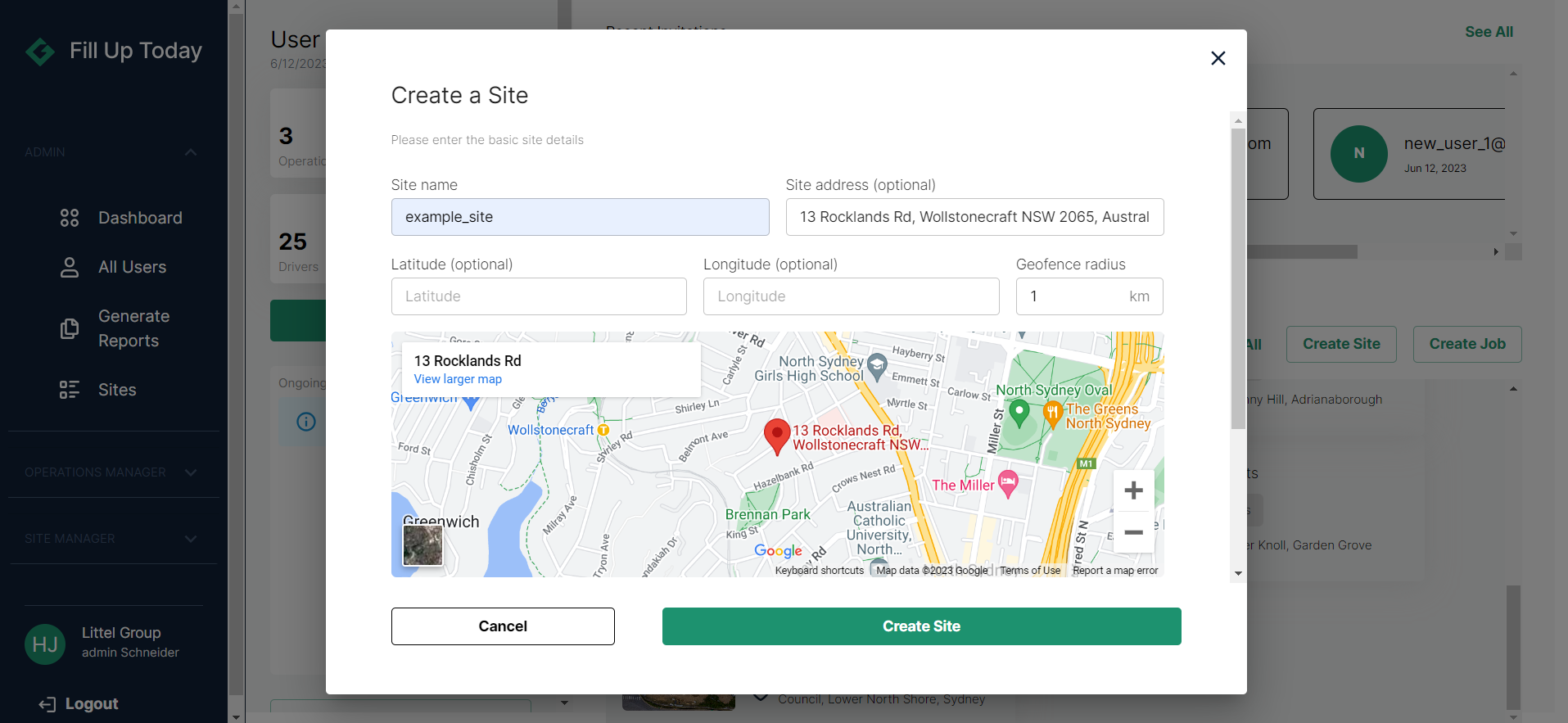
Create Site
Use this quick guide to create a site under your company on Fill Up Today (FUT).
Only Company Administrators and Site Managers are allowed to create sites.
As a company admin, you can create sites directly from your landing page (the first page you see when you login).
Web
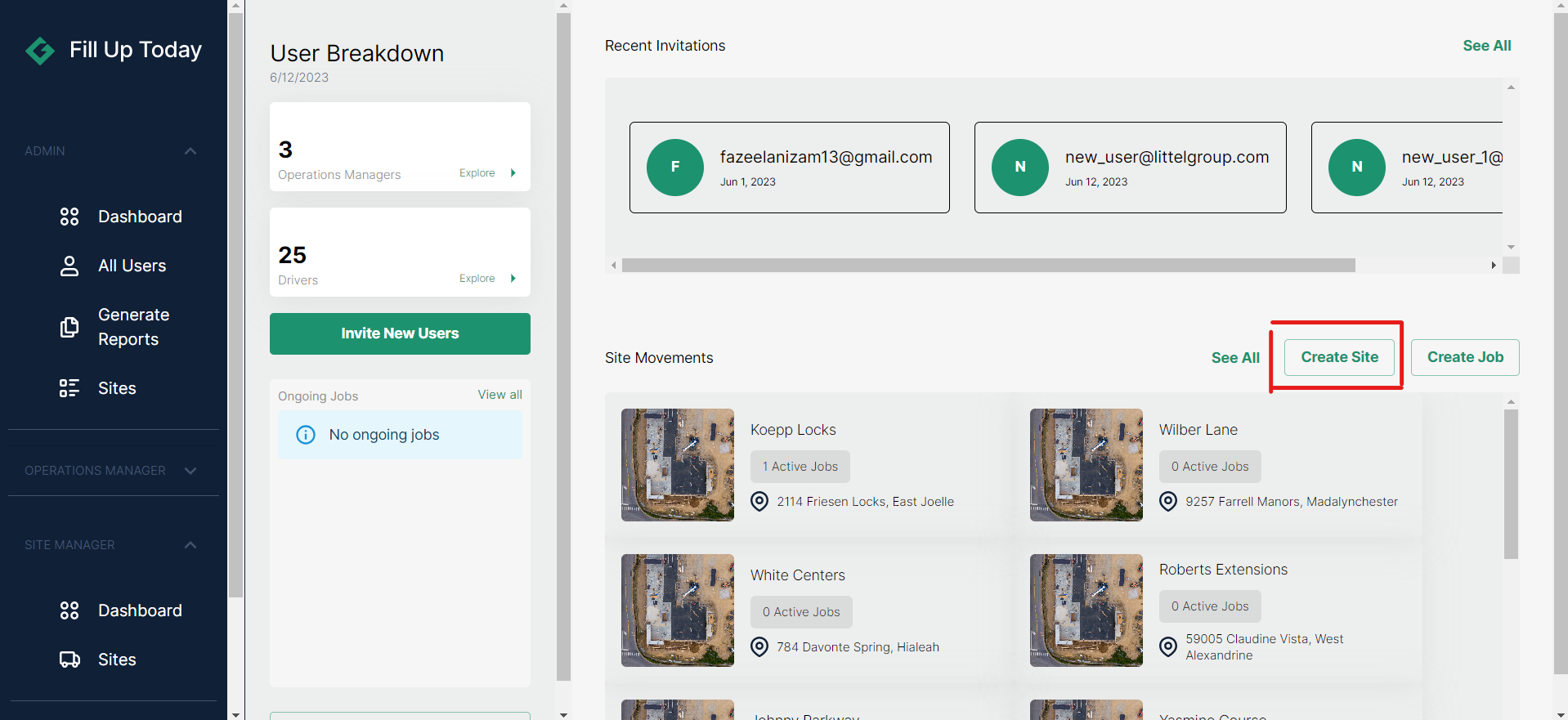
Click on the 'Create Site' button.
Enter the required information on the pop-up window and click on 'Create Site'.